FREE DESKTOP HARNESS · WINDOWS
OA Claude Desktop
Free. Local. Yours.
The standalone harness for the OA Claude Agent. Add your own Ollama models or static GGUF weights. Manual voices and microphone are included. It launches clean, ties into the native systems — harness, OGM, Aider, Docker pods, Q/strata — and keeps everything on your machine.
Download for Windows
Free · 1.0.1 · 121 MB
Unsigned installer: Windows SmartScreen may ask for confirmation. Code signing is planned for the next build.
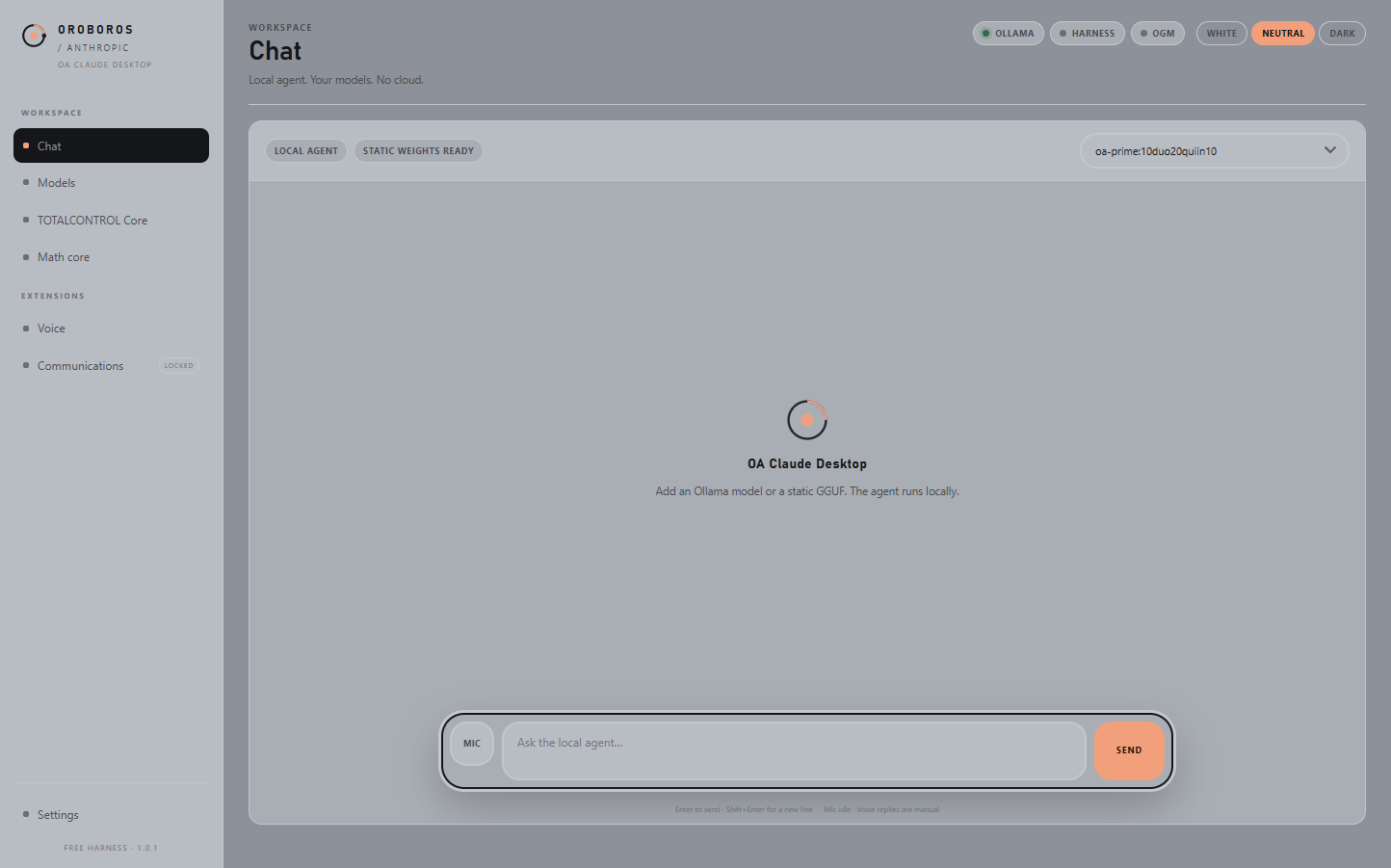
What ships free the harness, the agent, the core
Agent
OA Claude Agent. Local chat against any Ollama model you already run.
Weights
Static GGUF option. Pick a local file, create a model in-place, select it in Chat.
Core
TOTALCONTROL Core. Harness tools, OGM, Aider, Docker pods, and Q/strata status in one view.
Math
Math core. Crown 1272 Hz and a deterministic lattice key, local only.
Theme
White / Neutral / Dark. The same look and feel as the site, clean on launch.
Voice
Voices & microphone. Natural TTS and push-to-talk STT. Manual only; no automatic narration.
Install
One installer. Desktop and Start Menu shortcuts; no account, no cloud.
Paid extensions locked in the free build
Voice automation
$39.99. Automatic action briefs, fixed end report, plan before action, barge-in and audit fallback. Manual voices and mic are already free.
Claude Communications
Sold separately. Chat, phone bridge, WhatsApp, translation, and the shared agent session.
Why locked
Connect, not bundle. The desktop harness is the free front door; voice and communications are the paid connections into the live system.
Install after download
1. Run OA-Claude-Desktop-Setup-1.0.1.exe
2. Choose the install directory
3. Launch OA Claude Desktop
4. Add a model: ollama pull <model> (or choose a local .gguf)
5. Select the model in Chat
The free build includes the agent and harness. Voice and Communications remain locked and are sold separately.
Feature matrix
| Feature | Free desktop |
|---|---|
| OA Claude Agent | Included |
| Local Ollama models | Included |
| Static GGUF weights | Included |
| TOTALCONTROL Core / native systems | Included |
| Math core | Included |
| Voices & microphone | Included · manual |
| Voice automation | Locked · $39.99 |
| Claude Communications | Sold separately |
Independent OROBOROS / ANTHROPIC release. Not an official Anthropic product. Base model licenses remain in force.